Turn Your Website Into a Candidate Magnet
Your best future hire is probably already on your website, with no idea you're hiring. Show your open roles right where they're looking, in your own brand, and make applying feel easy. No developer. No upkeep. Just copy, paste and go.
Three ways for candidates to find your jobs
Use one, or use all three. Each takes a single copy.
Embed Widget
Your jobs, right on your website. Candidates see your open roles without leaving your site.
Popup Button
A floating hire button that follows visitors on every page of your site.
Direct Link
One link to all your jobs. Share it anywhere, with no website changes needed.
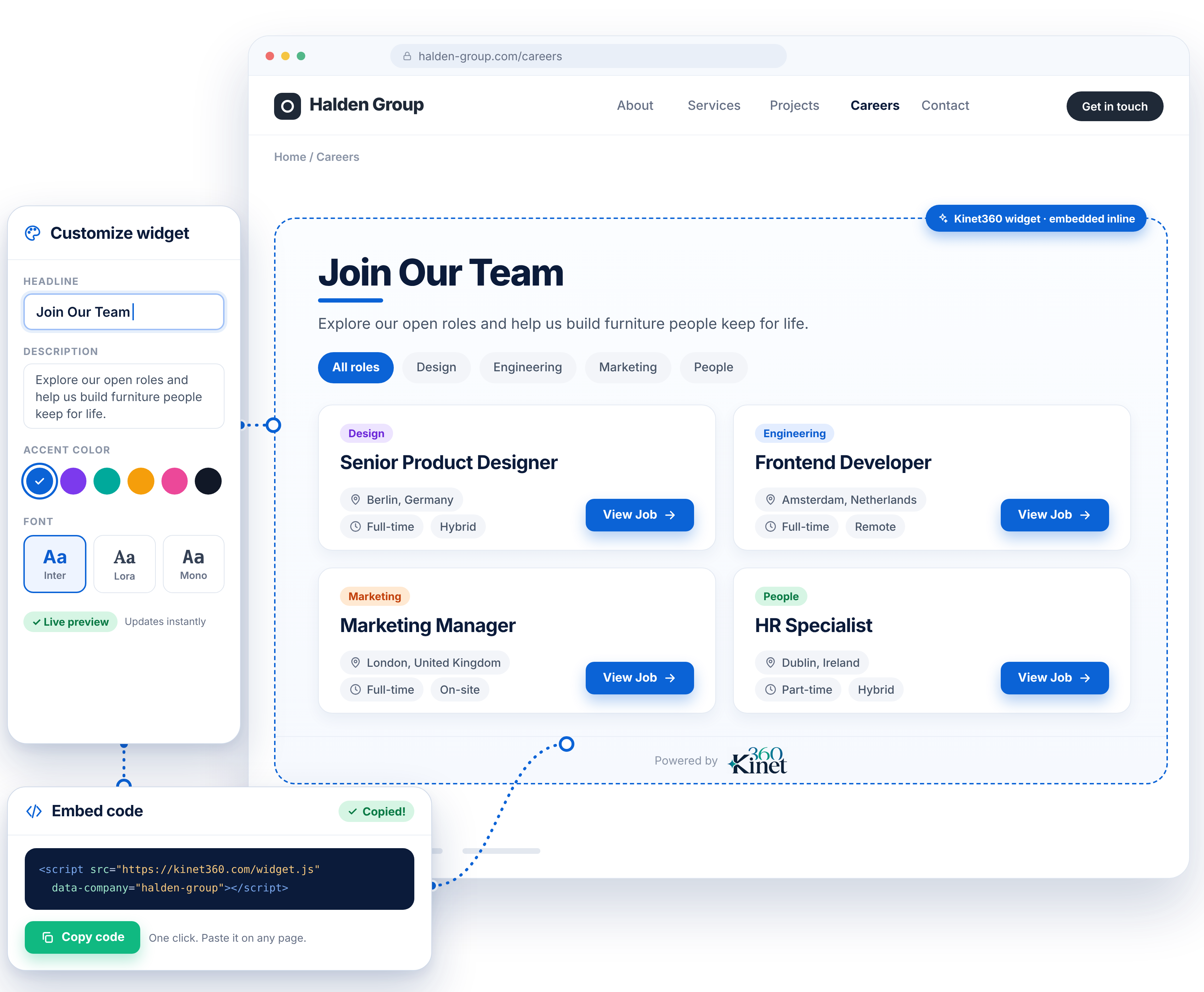
Your jobs, right on your website
Place your job listings inline on any page of your site, so candidates see your open roles without leaving it.
- Shows your jobs inline on your website
- Copy it in one click
- Your own headline and description
- Your accent color and font
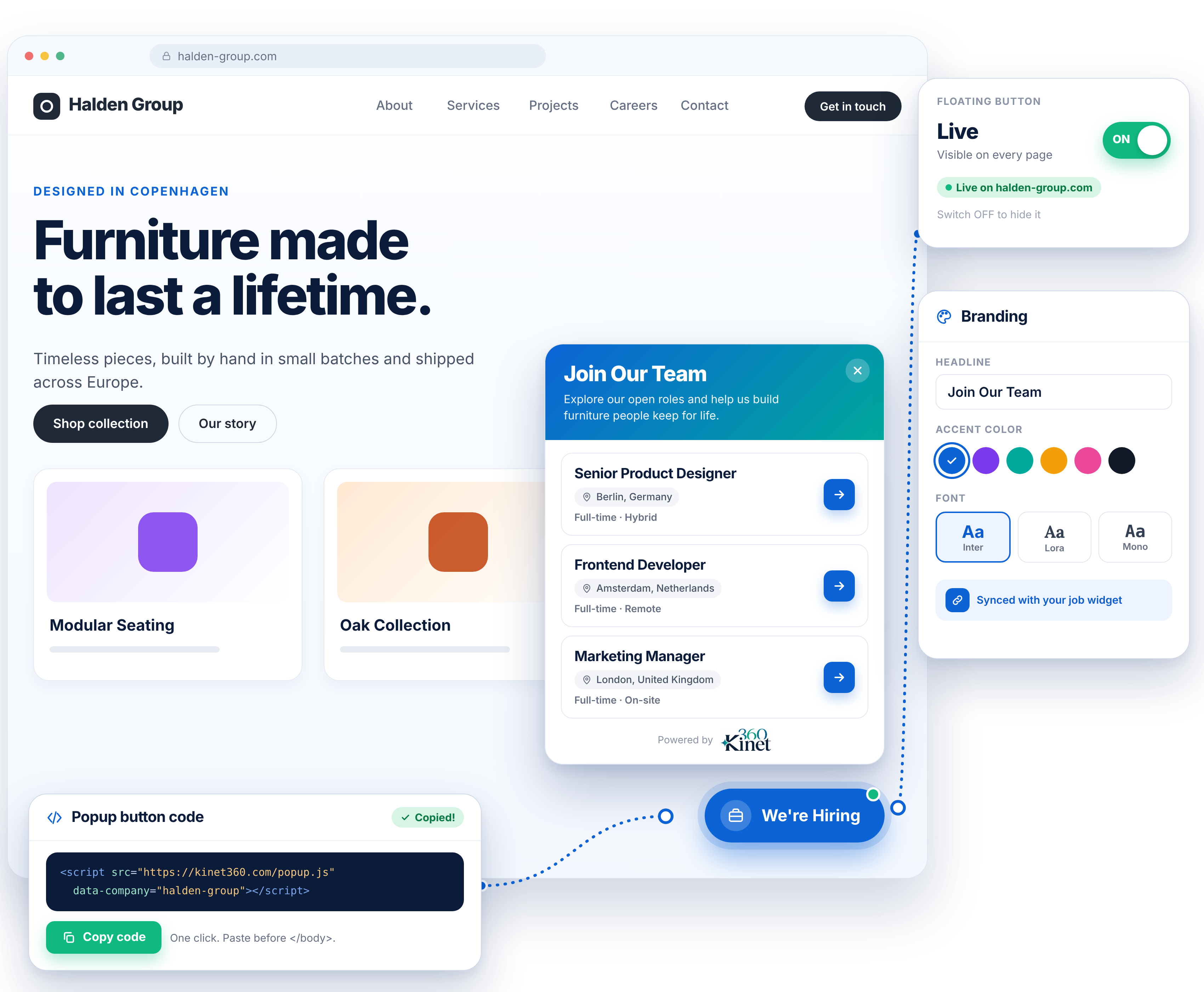
A floating hire button for your site
Add a hire button that floats on your website, so candidates can reach your jobs from any page.
- Floating hire button on your website
- Copy it in one click
- Uses the same headline and branding as your widget
- Switch it on or off with the Live toggle
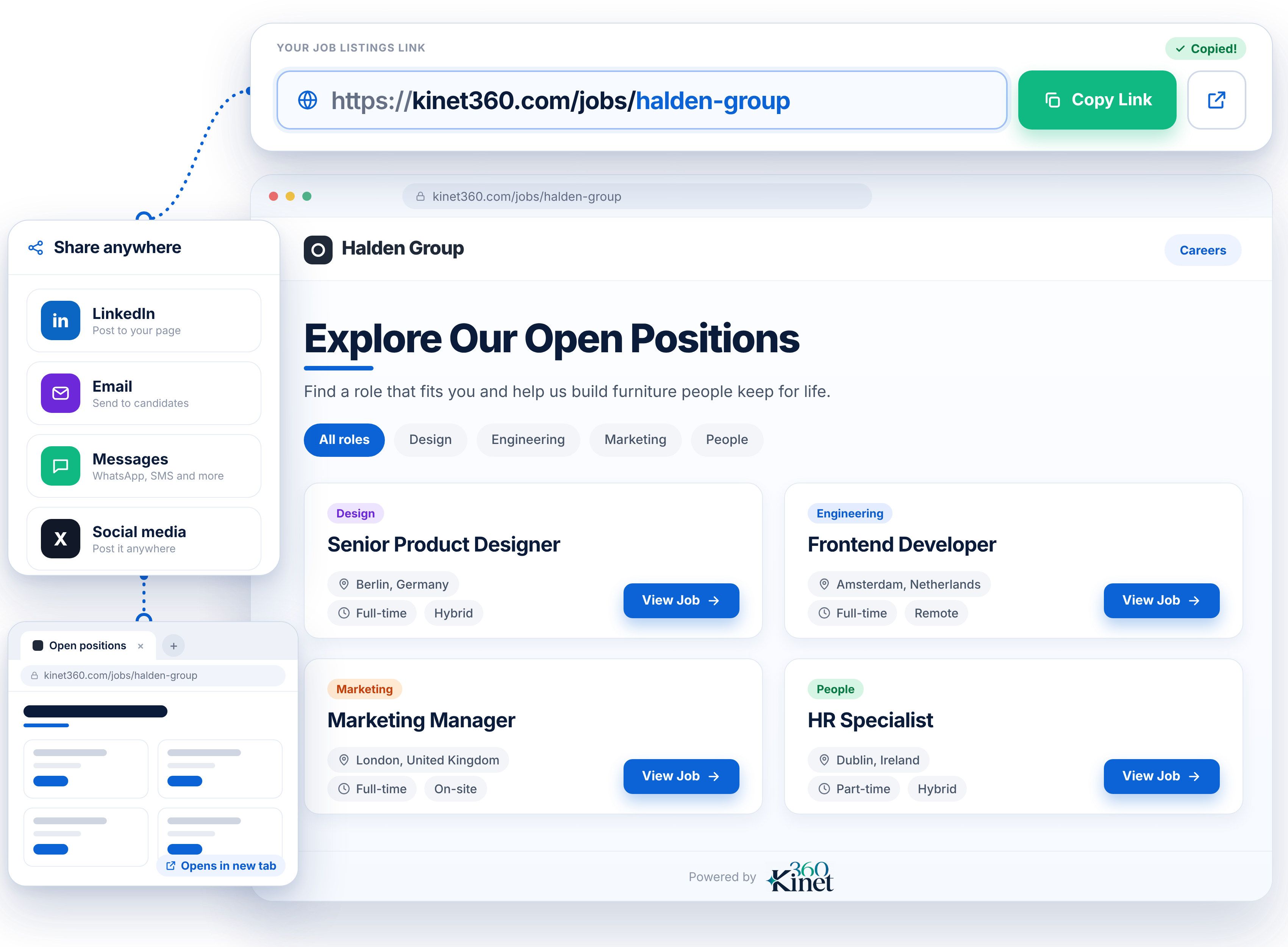
One link to all your jobs
Get a link to your job listings that you can share anywhere, with no website changes needed.
- One link to your job listings
- Copy it in one click
- Open it in a new tab to check it
- Share it anywhere you like
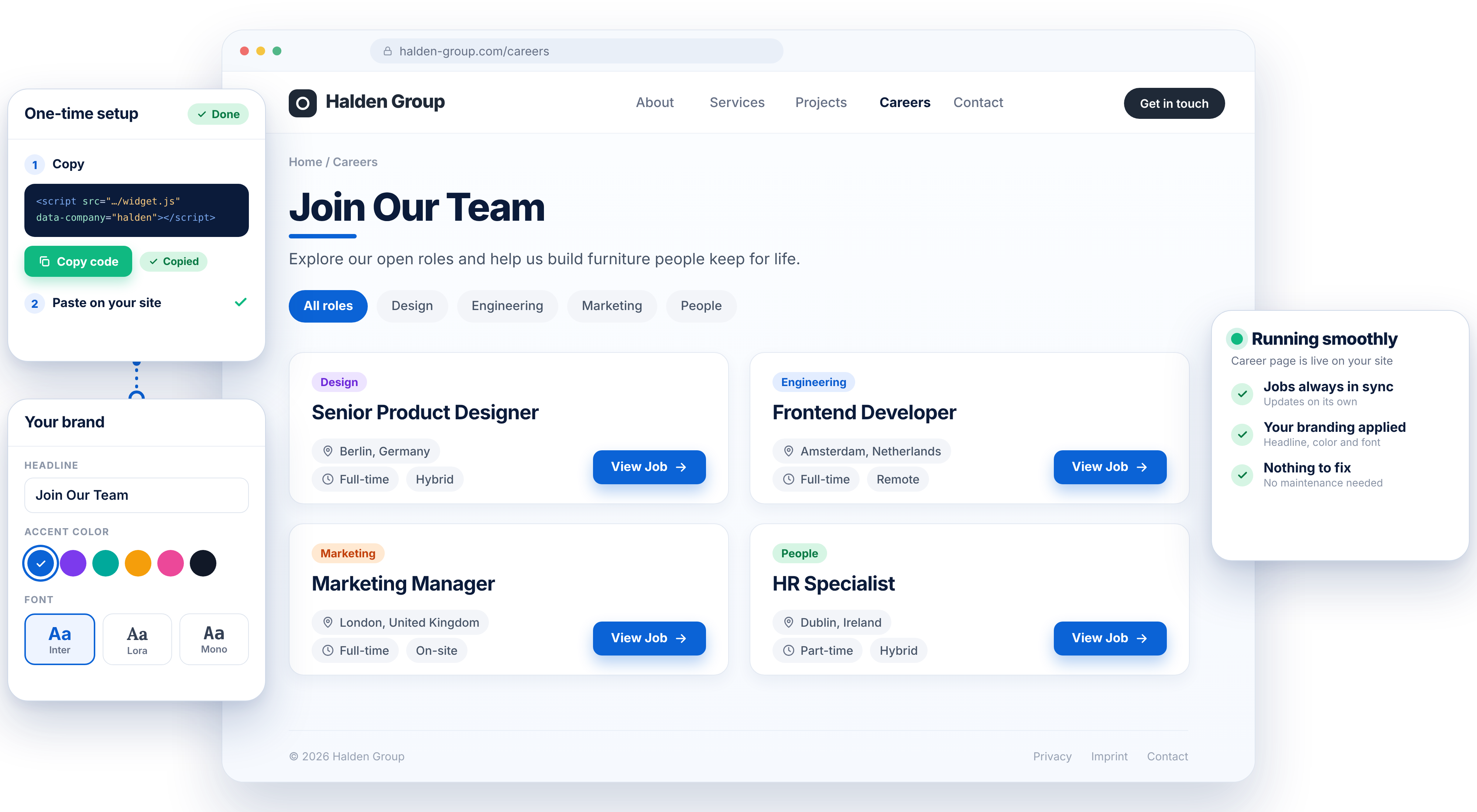
Set it up once. Forget about it.
You don't need a developer, and you don't need to babysit it. Copy it once, drop it on your site, and your career page takes care of itself.
- No coding. Copy it in one click and paste it in.
- No maintenance. Nothing to update or fix later.
- Your brand, not ours. Your headline, accent color and font, so it feels like part of your own website.
- Seamless for candidates. They never see a third-party tool, they just see your company hiring.
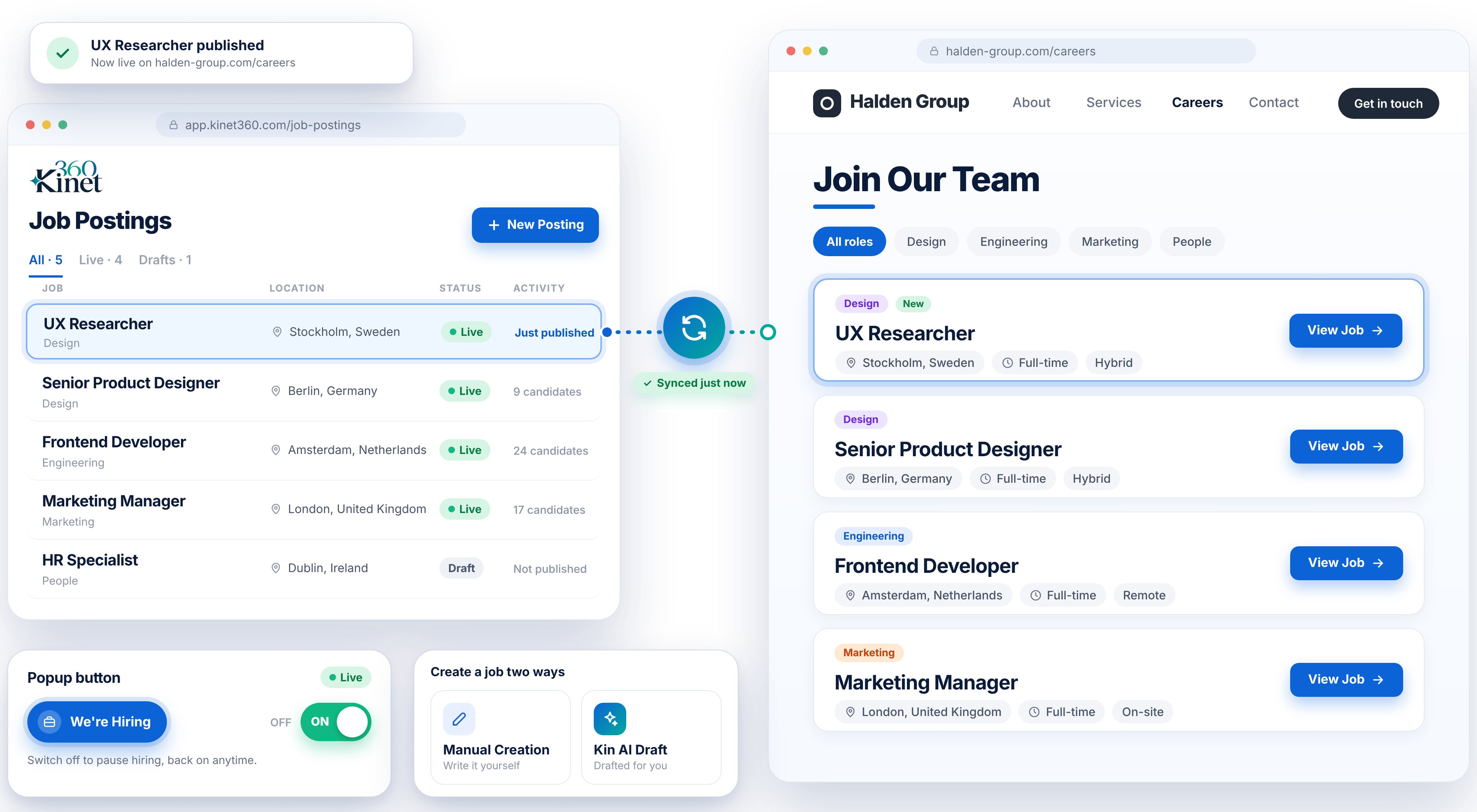
Post a job once. It shows up on your site.
Whatever you post in Kinet360 shows on your career page too, wherever you've placed it. No copying jobs between tools, no outdated listings. Want to pause hiring for a while? Flip the Live toggle off, then on again when you're ready.
- Jobs you post appear on your career page automatically
- Switch your popup button on or off with the Live toggle
- Write the job yourself, or let Kin draft it for you
No jobs to show yet?
Post your first role in minutes, written by you or drafted with Kin.