Recruit Smarter With Kin
Kinet360 brings intelligent recruitment and business process management together in one connected platform. Manage hiring, candidate screening, onboarding, documents, and workflows without jumping between multiple systems.
Set Up Your Hiring Process With Kin
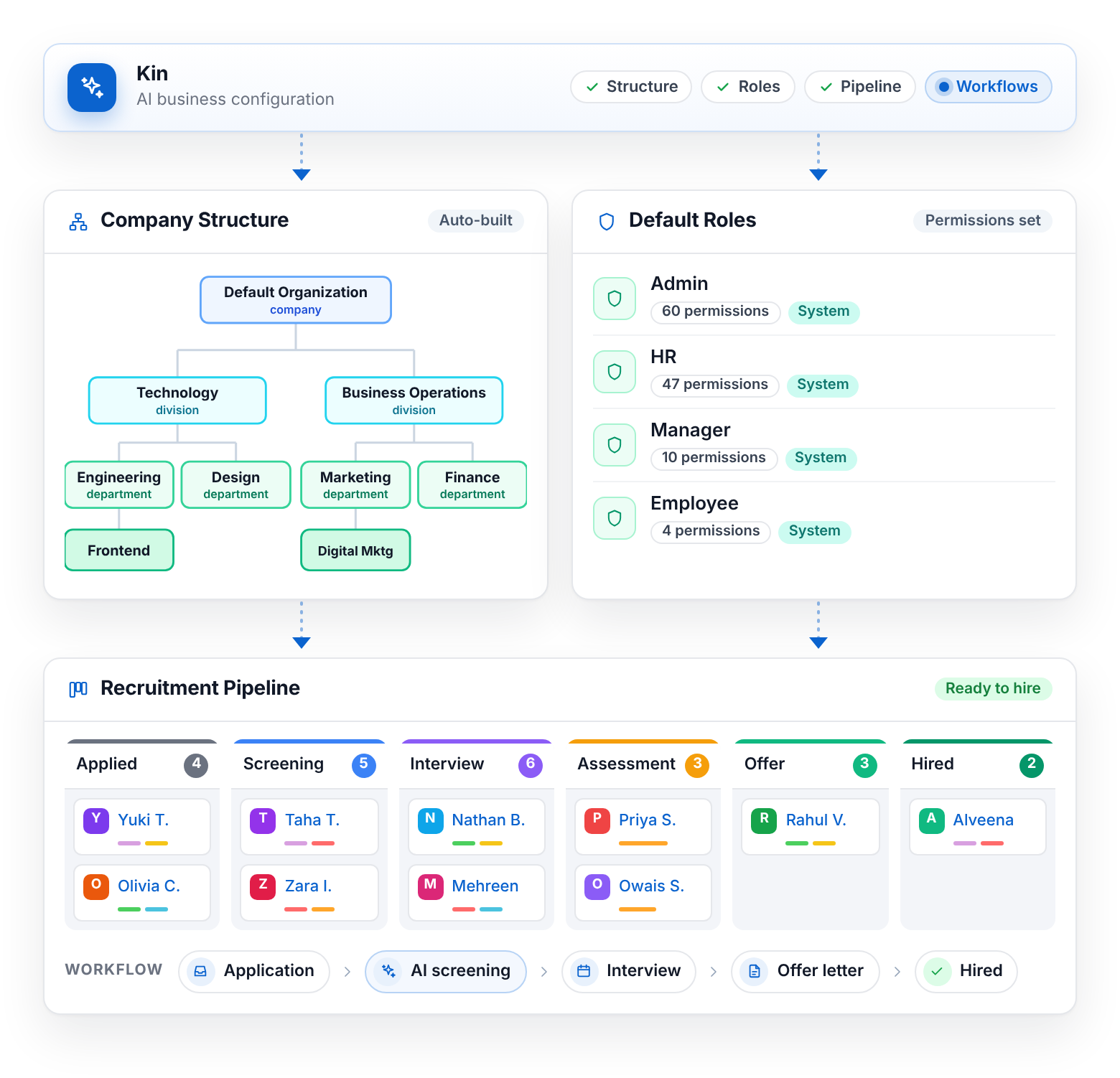
Get your hiring process ready without building everything from scratch. Kinet360 uses Kin to configure your initial business structure, roles, recruitment pipelines, and workflows based on your business.
- AI business configuration
- Organizational structures
- Default roles
- Recruitment pipelines
- Workflow setup
Make Every Hire Move Forward
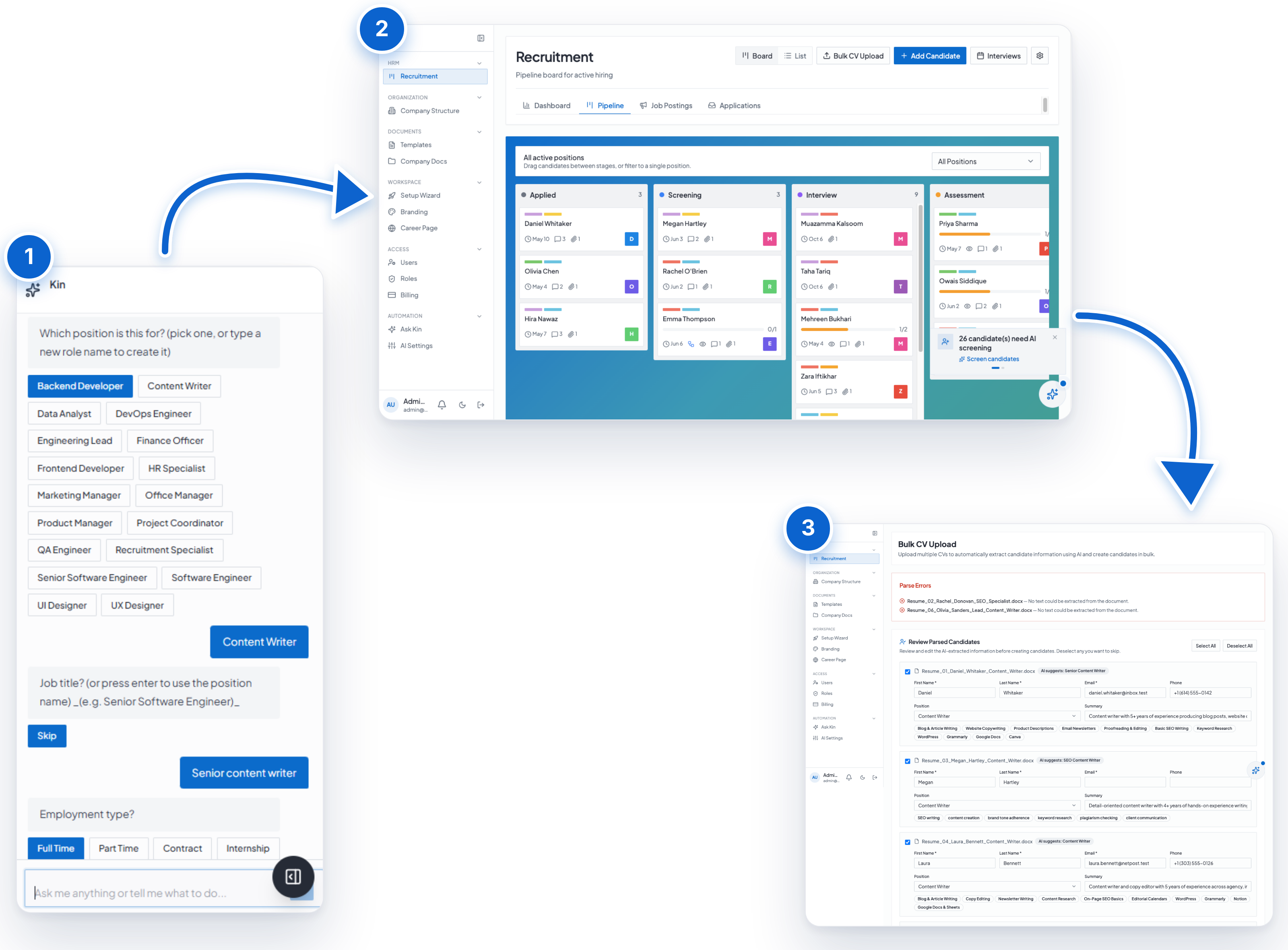
From creating job descriptions to evaluating candidates, Kinet360 connects the key stages of recruitment in one workflow. Reduce repetitive work while keeping your team in control of hiring decisions.
- AI-generated job descriptions
- Job posting and distribution
- Bulk CV and resume parsing
- AI candidate screening
- Candidate fit scores
- AI-generated interview questions
Move Every Candidate Through One Clear Pipeline
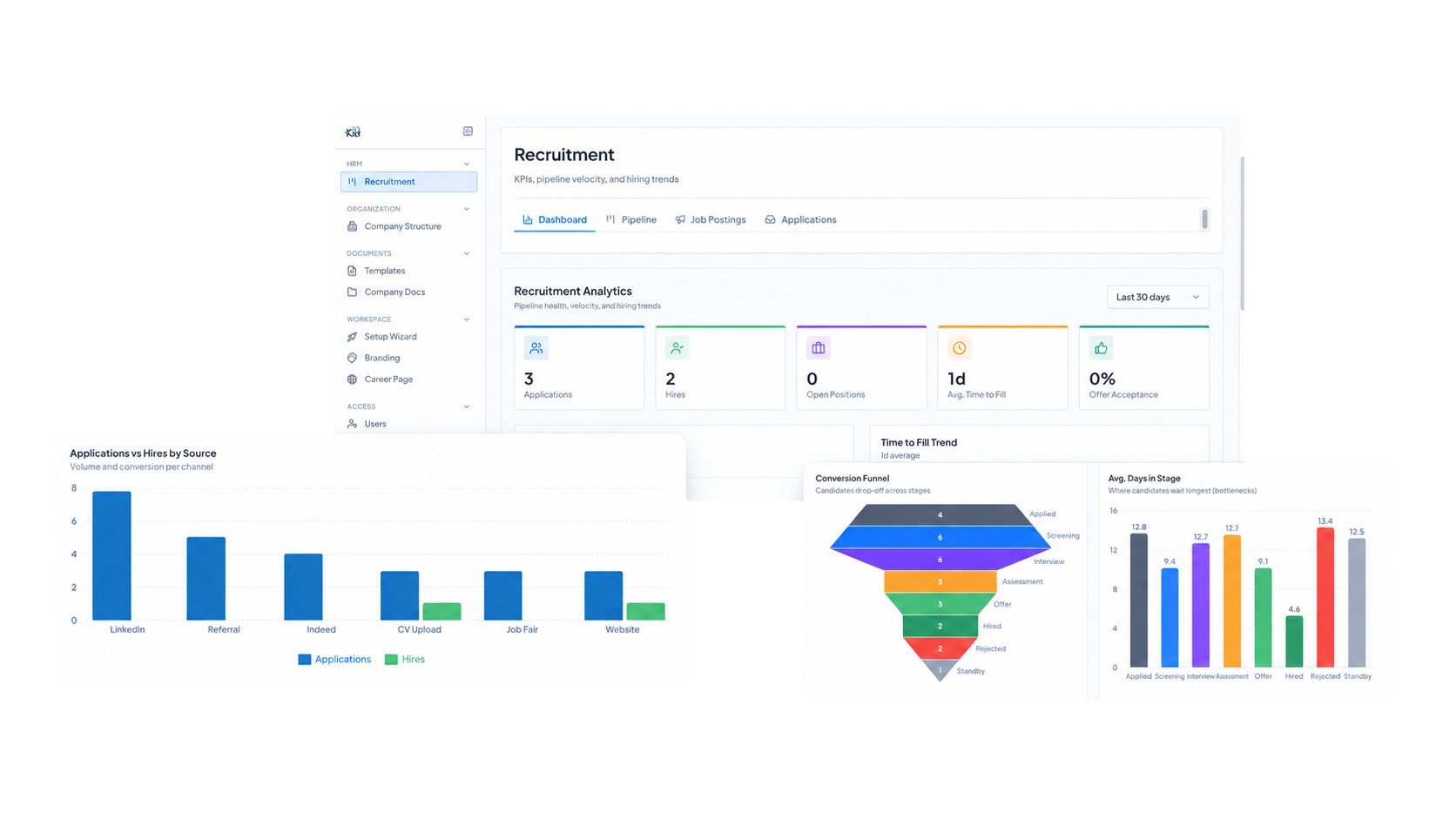
Once candidates start coming in, Kinet360 gives your team a clear view of where everyone stands. Its recruitment and ATS capabilities keep applications, evaluations, interviews, and hiring stages connected. Move candidates through a visual pipeline, evaluate them using structured scorecards, schedule interviews, and keep track of recruitment progress without relying on scattered spreadsheets or disconnected tools.
- Visual Kanban candidate pipeline
- Candidate tracking
- Evaluation scorecards
- Interview scheduling
- Recruitment stages
- Hiring progress
Keep Documents and Decisions Moving
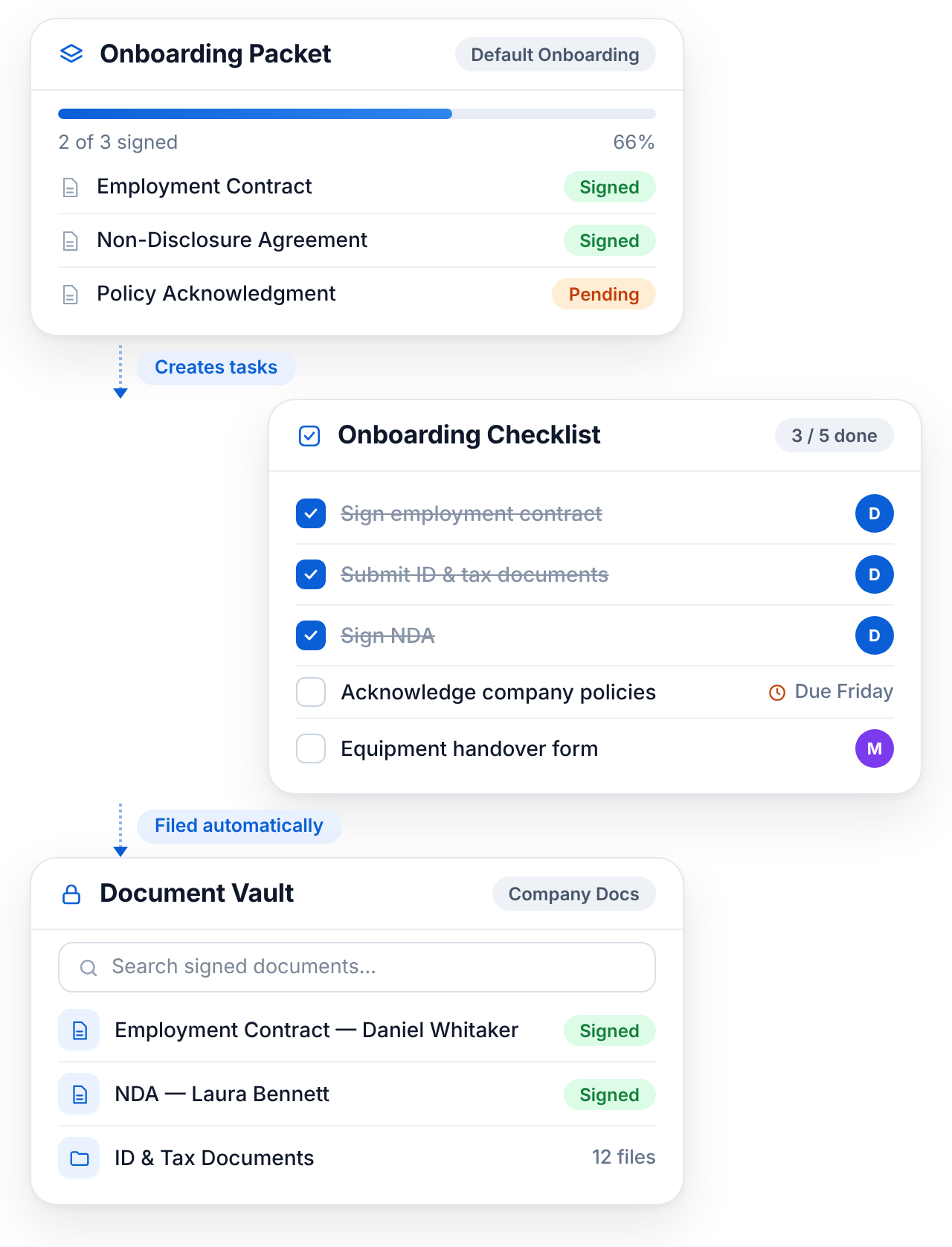
Once a candidate becomes an employee, Kinet360 keeps the process moving. Manage documents, onboarding tasks, approvals, and employee records from the same connected platform.
- Document templates
- Document packets
- Document vault
- Onboarding workflows
- Task checklists
How Kinet360 Works
Sign up
Create your account and let Kin configure your business structure, roles and recruitment pipelines.
Set up your career page
Choose how candidates find your jobs: embed a widget on your website, add a popup hire button, or share a direct link.
Post your job
Write the job description yourself, or let Kin ask a few questions and build it with you.
Collect and screen candidates
Upload CVs in bulk or add candidates one by one. Kin parses every CV and scores each candidate against the role.
Interview and evaluate
Schedule interviews, score candidates on shared scorecards, and compare your best candidates side by side.
Send the offer and onboard
Generate and send the offer letter, then move into onboarding, documents and workflows on the same platform.
Simple, transparent
pricing
Start with a 14-day free trial. No credit card required. Upgrade as your team grows.
Transform the way you hire with Kin.
Want the right people to find you first? Put your open jobs on your own website with a career page that looks like your brand.
FAQs
Does Kinet360 include an applicant tracking system (ATS)?
Yes. Kinet360 includes ATS capabilities such as candidate tracking, a visual Kanban pipeline, recruitment stages, evaluation scorecards, and interview scheduling, all in one place.
How does the candidate pipeline work?
Candidates move through a visual Kanban-style pipeline, from application to evaluation, interview, and hiring. You can see at a glance where every candidate stands, without using scattered spreadsheets.
What is Kinet360?
Kinet360 is an AI-powered HR and recruitment platform. It brings hiring, candidate screening, onboarding, documents, and business workflows together in one connected system, so your team doesn't have to jump between multiple tools.
How does AI help with recruitment in Kinet360?
AI runs through the whole hiring process. It can generate job descriptions, parse CVs in bulk, screen candidates, give candidate fit scores, and suggest interview questions. Your team still makes the final hiring decisions.
Who is Kinet360 for?
It's for businesses and HR teams that want to hire faster and cut repetitive work. It also suits teams that want recruitment, onboarding, and workflows in one platform instead of several disconnected tools.
How does Kinet360 set up my hiring process?
During sign-up, the AI helps configure your initial business structure. This includes your organizational structure, default roles, recruitment pipelines, and workflows, so you don't have to build everything from scratch.
How long does it take to get started?
You can set up in minutes. After you create your account, the AI helps configure your initial recruitment structure, and you can start posting jobs right away.
Does Kinet360 help with onboarding new employees?
Yes. Once a candidate is hired, you can continue in the same platform with onboarding workflows, task checklists, document templates, document packets, and approvals.
Can I manage HR documents and approvals in Kinet360?
Yes. Kinet360 offers document templates, document packets, and a secure document vault. It also manages approvals and employee records in the same connected system.
What is BPMN workflow automation, and does Kinet360 support it?
BPMN is a standard way to map how work moves between people and departments. Kinet360 uses BPMN-based process logic to build workflows, route tasks, and automate routine steps before, during, and after hiring.
Is there a free trial? Do I need a credit card?
Yes. Kinet360 offers a 14-day free trial, and no credit card is required. You can sign up and set up in minutes.
How much does Kinet360 cost?
Kinet360 offers monthly and yearly plans, and the yearly plan saves 17%. You can start with the free trial and upgrade as your team grows. For exact plan prices, check the pricing section on the website.